Early Abandonment can be entered for “All countries” or a specific country where early abandonment is desired.
Steps to add Early abandonment setting for a country:
Step 1: Select a country by highlighting it from the Countries list.
Step 2: Click the ADD NEW button and the "Add a New Pair of Settings" pop-up screen appears.
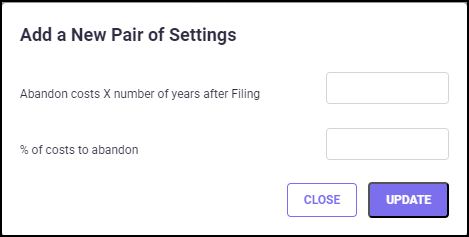
Step 3: Add a year in the "Abandon costs X number of years after Filing" field and cost to reduce percentage in the "% of costs to abandon" field and click UPDATE.
Step 4: Click the "Include Early Abandonment in Reports" checkbox to enable the cost to reflect in the reports.
Step 5: Click the UPDATE button to save the changes.
In the Early Abandonment settings, you can also customize different terms and cost percent-ages for countries by groups.
To set Early abandonment by groups, you must select a group category under Group Assign-ments for Early Abandonment in the Group Definitions screen.
When you have selected the group categories for Early Abandonment settings, the corre-sponding groups will be available in the Groups drop-down list. To customize the early aban-donment settings by groups, select a group and follow the steps described above.
Once you have made changes, click the UPDATE button to save the changes.