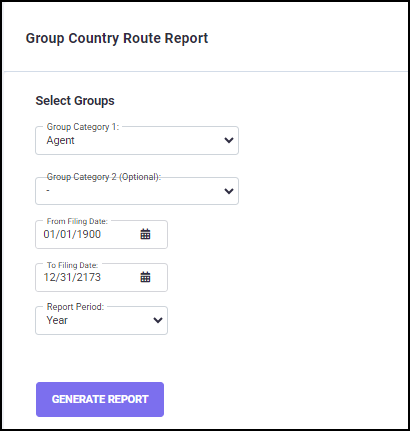
To run the Group Country Route report, follow the below steps:
1. Select a ‘Group Category 1’ from the drop-down list. You can also select "Group Category 2" if required.
2. Specify a date range by clicking on the ‘From Filing Date’ and ‘To Filing Date’ fields, and selecting the corresponding dates in the pop-up calendar. The selected dates are updated in the ‘From Filing Date’ and ‘To Filing Date’ fields.
3. Select a "Report Period" (i.e., Year, Quarter, or Month) from the drop-down list.
Once you have set all the filters, click on the GENERATE REPORT button to initiate calculations.
You will be directed to the Download Reports screen, where the generated Group Country Route report is ready for download.
The Group Country Route report is very useful in identifying the filing patterns and filing percentages in countries filed via various routes by groups in your existing portfolio data. This information can then be used in defining the projected filing patterns by groups under the settings | Projected Filings, or for defining the future filing scenarios and strategies.

The report spreadsheet has columns with filing counts and percentages of filings for countries in each route for the specific groups under the selected group category, sorted by groups.